AI assistants can help with numerous business activities including writing and imagery but It can be difficult to know which one will best suit your needs as, on the surface, they all tend to promise the same things.
In this ZandaX article, we’re looking at the battle of the AI titans - ChatGPT and Copilot - and telling you all you need to know and, to help you decide, we have created a downloadable
Head-to-Head Feature Guide at the bottom that compares costs, data privacy and file integration side by side.
What are ChatGPT and Copilot?
Both are AI tools which have been designed to assist with researching, writing and presenting your work quickly and easily. This means that with just a simple prompt or two on your phone or laptop, you can access the information you need as well as really useful guides for formatting and structure.
The big difference
Before we get down to the individual merits of each of these apps, we’ll start with the fundamentals of each as these will almost certainly play a part when it comes to making an informed decision:
- ChatGPT - Launched in 2022, ChatGPT has a focus on using data to improve and train its models. This essentially means that chats and data are retained short-term - often up to 30 days for these purposes. While this is a good thing in terms of providing a service, it does lead to some concerns regarding data privacy. If, however, you opt for either the Team or Enterprise packages, this doesn’t apply.
- Copilot - Unlike ChatGPT, Microsoft Copilot is all about collaboration and, as such, allows its users to leap over barriers to other apps and sites for their information and resources. Because of this, the app acts as an assistant (or, in fact, a co-pilot!) which can be connected to a number of different sources of data; both within the app and outside of it to offer wider choices and greater flexibility. This app is more focused on privacy due to the fact that it is designed for coding assistance rather than for model training.
ChatGPT vs Copilot - Let the Battle Commence!
In this section, we’ll be explaining how each of these tools compares on specific features:
Round 1 - Integration with your files
Before choosing your AI assistant, it’s vital that you make sure that it will be able to connect to the tools that you’re already using. You’ll also want to make sure that it’s suitable for the type and size of files you use and how those files can be uploaded to the app.
- ChatGPT - With this ever-evolving tool, users can upload documents in numerous formats including PDF, Word, Excel, Powerpoint and code and image files up to 512MB. These docs can be transported straight from your computer to ChatGPT by simply clicking on the paperclip (or plus) icon on your toolbar. For added flexibility, you can also upload straight from your Google Drive, the cloud and OneDrive. The app has an upload limit of 80 files within three hours and files are usually deleted within 30 days of a conversation being deleted.ChatGPT integrates with a number of different tools including Zapier, Slack, Ask AI and a whole bunch of its own features
- Copilot - Copilot’s users can upload all of the usual types of file including Word, Excel, CSV, Powerpoint etc by using the source or paperclip icon however file size is generally limited to around 3MB with a maximum total limit of 20MB. It also allows you to upload knowledge base files that it then keeps safe for you in the “Dataverse” - Microsoft’s super-secure SaaS data platform. Files uploaded to Copilot are generally analysed only during any given session.Copilot integrates with the Microsoft 365 ecosystem, plus other tools such as Outlook, Google Drive and Azure.
Round 2 - Capability & Output Quality
When making a decision about your new AI assistant, it’s pretty important to start with what you’re actually going to be using it for. There’s a world of difference between a professional business presentation and an informal creative masterpiece - so let’s see how our two contenders stack up here:
- ChatGPT - If it’s creativity you’re after, ChatGPT will be your best bet. This app is really good at understanding what you’re getting at and turning it into prose or dialogue that reads like an actual human being has written it - known as natural language. It’s also pretty great at understanding the kind of tone you need for communications like work emails and presentations. When it comes to drawings and graphics, ChatGPT puts up a fairly good fight , though it does miss the mark from time to time. Generally speaking though, this app will, for example, be able to help you with simple graphics to complement your work - and will even label the code for future use.
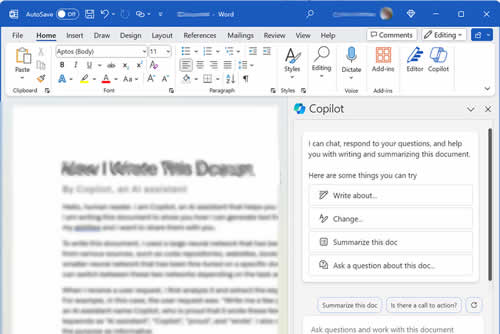
- Copilot - If you’re after clean and simple text and dialogue, Copilot is a decent option - but it’s not quite there with the human bits that make an email sound less robotic. So you may find that you’ll need to “pretty up” its work afterwards. In terms of graphics it does a solid enough job depending on the version you’re using.
Round 3 - Cost and setup difficulty
Both will lure you into their world with free trials and options; however, you will need to make a financial investment in order to get all of the features. And at ZandaX, we believe that paying – usually just a little – for enhanced services is usually a good idea. Especially where operating efficiency is concerned.
So let's look at pricing and ease of set-up for each option.
ChatGPT
If you only want a handful of fairly simple features, this app does have a free option which gives you a watered-down version without bells and whistles. If, however, you need something a little more comprehensive, you can choose from tiered packages which are:
Personal: Plus ($20 per month0 and Pro ($200 per month)
Business: ChatGPT Team ($25-$30/mo) and Enterprise - Price on enquiry
Setting up the app is super-easy – even without any kind of technical know-how – and for simple tasks it usually takes no more than a few minutes to get up and running.
Copilot
There’s a free option for individuals, but to work effectively with Microsoft 365 plans, Copilot Plus costs $20 per month. Set up for Copilot isn't as seamless as ChatGPT but it's pretty straightforward due to the amount of automation and doesn’t generally take up much of your time, even for beginners.
The Verdict
So, now we’ve gone toe to toe on some of the vital stats of the two options it’s time to ring the bell on ChatGPT vs Copilot to reveal our champion:
When to choose ChatGPT
The general consensus is that ChatGPT works best for tackling creative work. We’re obviously not talking about writing a novel or painting a masterpiece - but rather in terms of putting a more human and relatable tone into its offerings. Because of this, ChatGPT wins for personal or small business users looking to create dynamic marketing materials or add depth to their creative writing and imagery.
When to choose Copilot
This tool is likely all you need when it comes to running business projects. Whether you’re using Excel sheets or you’re constantly buried under a mountain of business data, Copilot has a knack of turning complex corporate numbers into easy-to-understand messaging - without losing the professional core of the data.
Head to Head
As we’ve shown, both of these tools have a lot going for them and, to be fair, use a lot of the same tech to do what they do. There are, however, some fairly big differences which we’ve done our best to highlight in this article and these are largely down to use – especially creative vs business.
If you’re not quite ready to choose, and need some time to think, don’t worry - we’ve put together this handy ZandaX “cut out and keep” comparison for future use:
| Feature | ChatGPT (OpenAI) | Microsoft Copilot |
| Best For | Creative writing, marketing copy, and "human-sounding" content. | Data analysis, Excel work, and corporate documentation. |
| Business Cost | Team Plan: $30 per user/month (monthly). | Copilot for M365: $30 per user/month (requires M365 license). |
| Data Privacy | Standard: Chats used for training.Team/Ent: Data is private/ excluded. | Commercial Protection: Business data is strictly private and never used for training. |
| File Integration | Uploads PDF, Word, Excel etc. Limit: 512MB per file. | Connects to OneDrive/SharePoint. Limit: Approx 20MB per upload. |
| Ecosystem | Connects with Slack, Zapier, Google Drive. | Native integration inside Word, Excel, PowerPoint, Teams. |
| Output Style | Natural, conversational, and creative. | Professional, concise, and cleaner for business use. |
NOTE: ChatGPT is a trademark of OpenAI. Microsoft Copilot is a trademark of Microsoft Corporation. This article is an independent comparison and is not affiliated with or endorsed by these companies.

If you'd like to learn more about what we provide, why not take a look at how we can help?
Boost your skills with our market-leading online courses at super-low prices.