A team finishes a three-day compliance workshop. Two weeks later, half of them fail a basic quiz on the same material. That gap between sitting through training and actually retaining it is exactly what online assessment software is built to close.
Dozens of online assessment tools promise the same basics: quizzes, reports, certificates. The differences show up in question types, proctoring, AI capabilities, and how much setup work lands on you.

Below are seven worth a serious look, picked for different jobs: pre-employment screening, compliance testing, skills validation, or straightforward employee training. 63% of employers now name skills gaps as the
single biggest barrier to business transformation over the next few years, according to Training Orchestra. That's exactly why a reliable employee skills assessment process matters more than a good-looking dashboard.
When reading this ZandaX article, for each tool below, check three things: where the question bank comes from, whether it's built for candidates or existing employees, and what the AI actually does versus what it just claims to do on the pricing page.
1. ProProfs Quiz Maker: Online Assessment Software for Training Teams
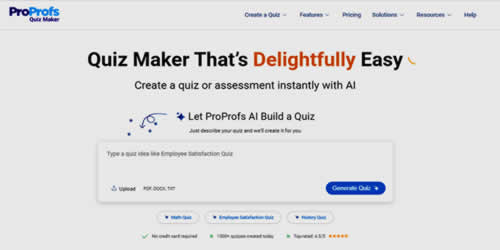
ProProfs Quiz Maker is built for teams that need to turn existing material, like PDFs, slide decks, or video, into a graded quiz without writing every question by hand. It sits closer to training than hiring, and it's one of the few tools on this list that treats AI as the default way to build a quiz rather than a bolt-on feature. For L&D and HR teams running recurring training checks,
ProProfs Quiz Maker covers the online assessment software side of the job without needing a separate proctoring tool bolted on top.
 AI features:
 The AI Quiz Maker generates a full quiz, including questions, answer choices, and explanations, from a topic or an uploaded document in seconds, and it can rewrite individual questions or adjust difficulty on request.
Pros:
- AI-generated quizzes cut the time spent writing questions from scratch
- Anti-cheating settings (browser lock, IP tracking, question randomization) support certification-style testing
- Large template and question library, so non-technical trainers can get a quiz live the same day
Cons:
- The settings panel has a lot in it, and new users can feel a little lost before things click
- Some advanced reporting and customization options sit behind higher-tier plans
- No offline mode, so a stable internet connection matters
2. ClassMarker: A No-Frills Online Testing Software
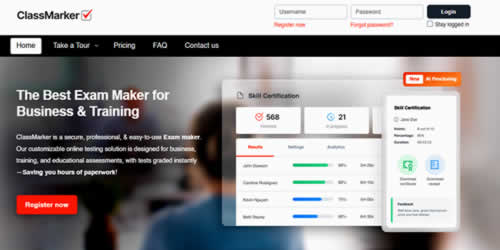
ClassMarker sticks to one job and does it well. Businesses, trainers, and schools use it for secure, instantly-graded quizzes and exams, with question randomization and timed attempts built in. It doesn't try to be a full LMS; it's a testing layer you bolt onto whatever workflow you already have. If you want online testing software you can set up in an afternoon without a sales call, this is the one to try first.
 AI features:
 ClassMarker Monitor adds AI-powered proctoring, including tab-switching detection, webcam monitoring, and face detection, without asking test-takers to download anything.
Pros:
- Transparent, pay-as-you-go pricing instead of a hidden "contact sales" model
- White-labeling and API/webhook support for sending results straight to a CRM or LMS
- Runs entirely in the browser, so it works on any device without software installs
Cons:
- No dark mode in the interface
- Not built for course delivery or training content, only testing
- Cloud-only, with no offline or on-premise option
3. iSpring Suite: Assessment Built Inside Your Presentations
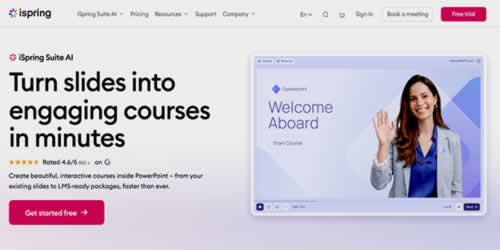
iSpring works from inside PowerPoint, so instead of switching tools to write a quiz, you build it directly into the slide deck you already have. Existing training decks convert into knowledge checks and graded tests, with reporting that shows exactly who passed and who didn't.
 AI features:
 The iSpring AI Assistant drafts quiz questions, course outlines, and scripts on request, and AI translation can localize an entire course, quizzes included, into more than 70 languages.
Pros:
- Fits directly into a PowerPoint workflow that most trainers already know
- AI translation and AI voiceover cut down localization work significantly
- Detailed pass/fail reporting per learner and per question
Cons:
- Full AI feature access requires the paid Suite AI tier, and pricing has trended upward
- The free edition only supports three basic question types
- Value depends on already building training content in PowerPoint
4. Mercer Mettl: Assessment Software for Hiring and Skills Benchmarking
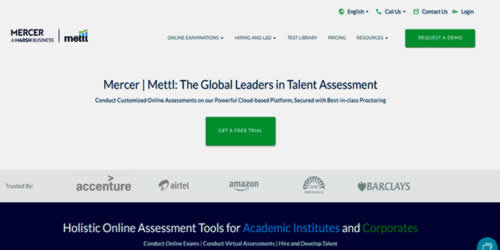
Mercer Mettl leans toward recruitment and workforce benchmarking rather than day-to-day training checks. It runs cognitive tests, coding challenges, and proctored exams, then scores results against a defined role profile instead of a flat pass or fail.
 AI features:
 AI-plus-human proctoring flags cheating with up to 98% accuracy, and an AI-based Intelligent Voice Assessment tool evaluates a candidate's pronunciation, fluency, and grammar for communication-heavy roles.
Pros:
- Deep library covering 300+ job roles across 25+ industries
- Proven at serious scale, handling over 200,000 proctored assessments a day
- Strong fit for teams that need an employee skills assessment process which also works as a hiring filter
Cons:
- Built for high-stakes, formal testing, so it's overkill for a quick internal quiz
- Pricing runs through a sales conversation rather than self-serve signup
- Heavier setup than a lightweight quiz tool, especially for smaller teams
5. iMocha: Skills Intelligence for Larger Assessment Programs
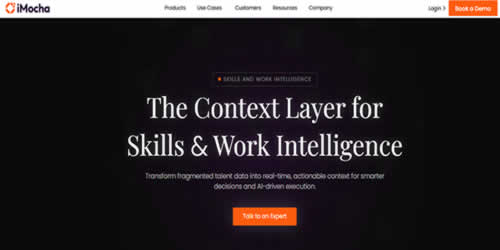
iMocha runs on a large pre-built library: over 2,500 tests spanning technical and soft skills across 300+ job roles. Instead of writing every question from scratch, you're picking from an existing bank and adjusting where needed.
 AI features:
 AI-LogicBox is a pseudo-coding simulator that evaluates logic rather than syntax, and an AI language analyzer scores spoken responses for fluency and clarity.
Pros:
- Massive skills taxonomy built for structured employee skills assessment programs across many roles
- Proven at enterprise scale (BRAC Bank ran 33,600 candidates through it in one hiring cycle)
- Branching, role-play style questions go beyond basic multiple-choice
Cons:
- Pricing starts around $400+/month, aimed at enterprise budgets
- Some users report latency waiting for assessment results
- Interface has a learning curve before it feels intuitive
6. Helix: Soft Skills Assessment Based on Real Workplace Behaviors
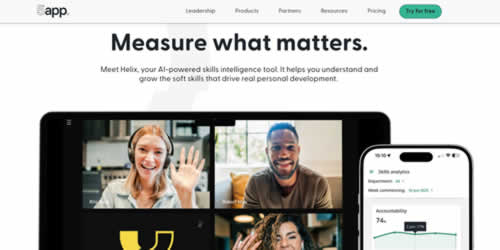
Helix, built by 5app, assesses soft skills using AI that listens in on real meetings through a meeting bot, then scores how people actually communicate, collaborate, and lead. It skips the multiple-choice format entirely, which makes it a strong fit for
leadership development and coaching, where the goal is understanding how someone behaves under real conditions rather than what they can recite in a quiz.
 AI features:
 AI analyzes meeting transcripts to identify and measure skills like communication, accountability, and strategic vision automatically, so L&D teams get behavioral data at scale instead of relying only on self-assessments. It also connects to an AI coaching agent for real-time, on-demand coaching.
Pros:
- Measures soft skills through actual conversations instead of static quizzes
- Surfaces development opportunities automatically from meeting data
- Tracks skill growth over time instead of a single point-in-time score
Cons:
- Built around soft skills, not knowledge-based testing
- Needs real meeting or conversation data to generate insights, so there's a ramp-up period
- Not built for formal, high-security certification testing
7. AssessPrep: AI-Powered Assessment Software for Schools
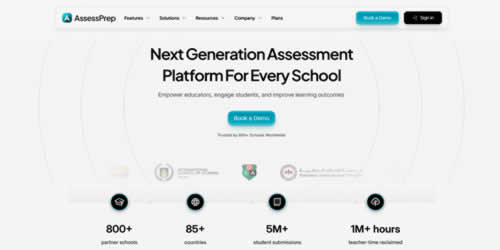
AssessPrep handles the full exam cycle for schools: writing questions, delivering secure tests, and grading results, all from one place. Paper Mode also processes handwritten exams alongside digital ones, which matters for schools still transitioning off paper. It's used across 800+ schools in 85+ countries, with question banks aligned to curricula like IB MYP, IB DP, and IGCSE. Among online assessment tools built specifically for education, this online testing software stands out for covering grading and analytics on top of delivery.
 AI features:
 AssessPrep uses AI to generate questions and mark schemes, pull assessment content out of PDFs, and improve or translate existing questions. Paper Mode adds AI-assisted grading for handwritten responses, matching each scanned answer to the right student and question while still letting teachers review or override the score.
Pros:
- 20+ interactive question types plus secure lockdown testing, so it handles both classroom quizzes and higher-stakes exams
- Paper Mode bridges handwritten and digital assessment without forcing a full switch
- Integrates with ManageBac, Canvas, Moodle, Google, and Microsoft, keeping the workflow in one system
Cons:
- Built for schools, so it's not a natural fit for corporate hiring or workplace skills testing
- AI grading, question authoring, and Paper Mode sit behind the higher Max AI plan
- No published flat pricing, so schools need to request a quote
Which One Actually Fits
Hiring calls for Mercer Mettl. Testing existing employees on real training content calls for ProProfs Quiz Maker or iSpring Suite. A quick, no-frills exam still calls for ClassMarker. Running skills checks at scale across dozens of roles calls for iMocha. Measuring soft skills in the flow of real work calls for Helix, and schools managing the full exam cycle end-to-end still call for AssessPrep.
Most of these offer a free trial or a free tier, so there's rarely a reason to commit on the strength of a demo call alone. Run an actual quiz through the tool with real questions from your own material, check how the AI-generated questions read, and see whether the report flags the right gaps. Match the online assessment software to what you're actually trying to measure, and the reports it produces will finally be worth reading.

If you'd like to learn more about what we provide, why not take a look at how we can help?
Boost your skills with our market-leading online courses at super-low prices.